 Jyutping Keyboard
Jyutping Keyboard
Jyutping Keyboard
Jyutping for Android uses the system speech engine to read text and syllables aloud.
Many Android systems in mainland China do not include a Cantonese speech engine, so text-to-speech may be unavailable by default.
You can install the Google speech engine to solve this.
A proxy may be needed while setting the speech engine or downloading voice packages.
Download and install from Google Play:
https://play.google.com/store/apps/details?id=com.google.android.tts
Or download the APK and sideload it:
Speech-Recognition-and-Synthesis_20250804.02_p3.800153222_arm64-v8a.apk
73725829 bytes
063e965555598423835eb77c08f3aa07117cd1c55ecbb15d389cf5e9506d2d41If installing the APK above fails, try downloading it from the vivo website: https://h5.appstore.vivo.com.cn
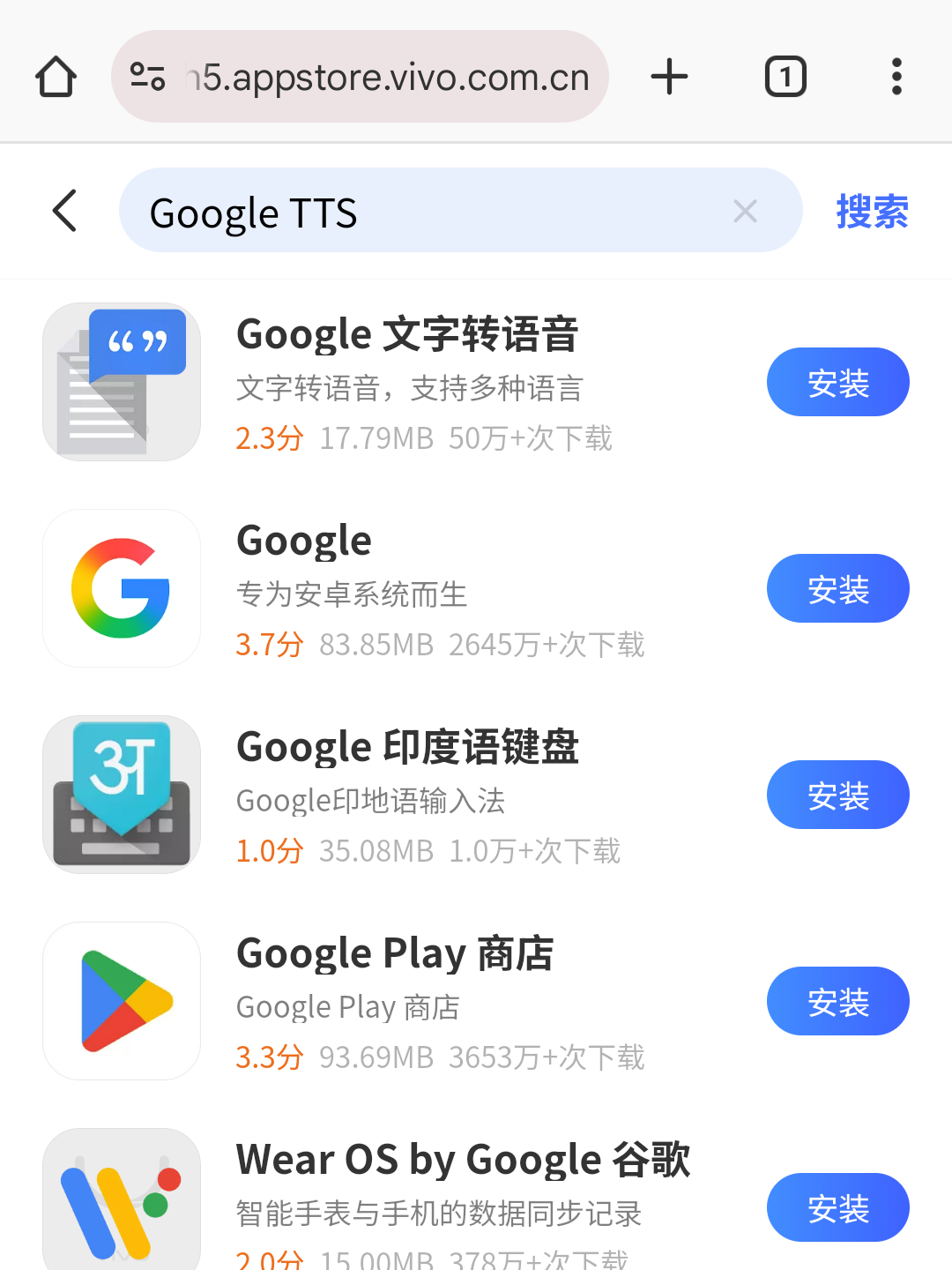
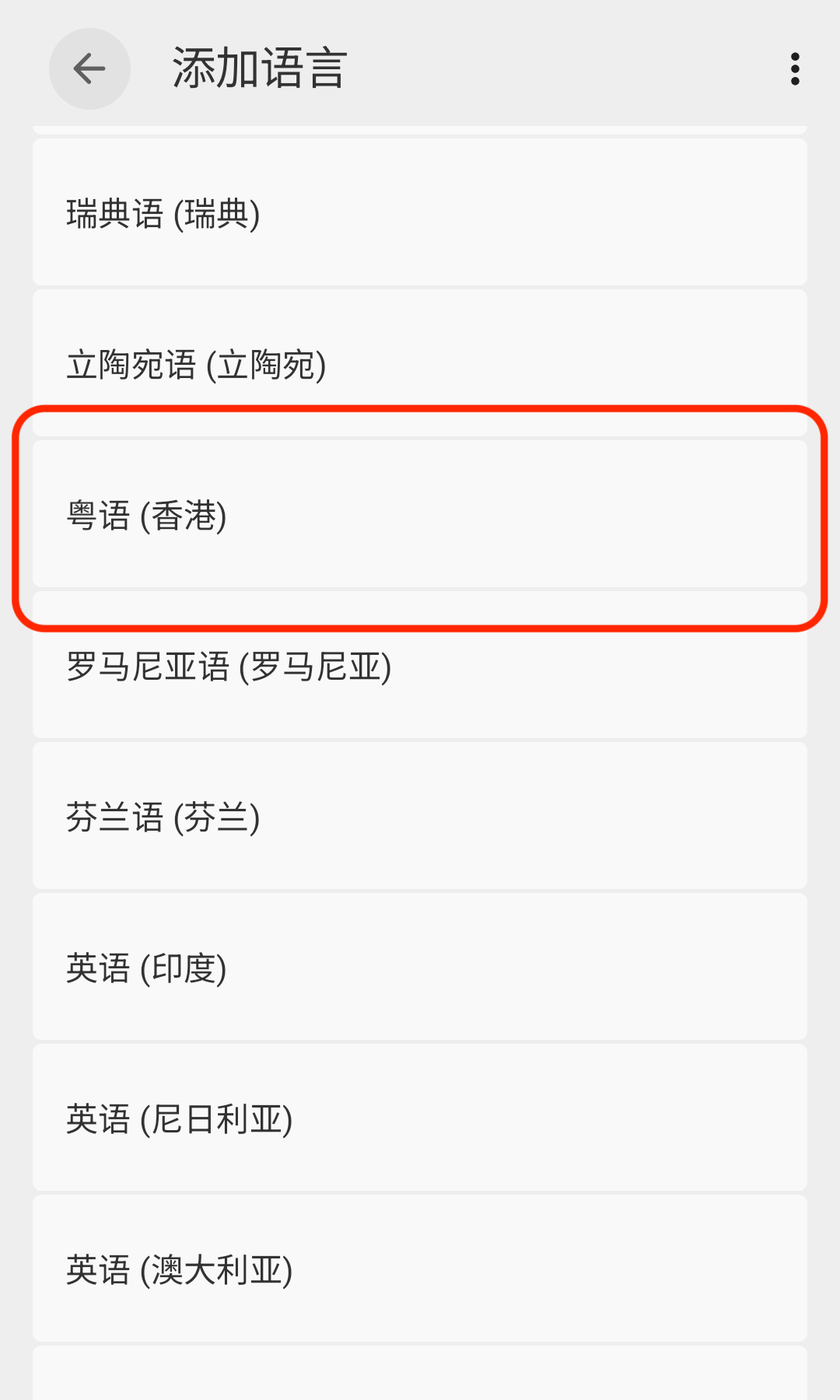
Use the screenshots below as a reference and set the speech engine in the system Settings app.
Settings screens and paths vary by device, so you may need to find the matching page yourself.
Choose Google Speech as the preferred engine, then download the Cantonese voice package. A proxy may be needed.
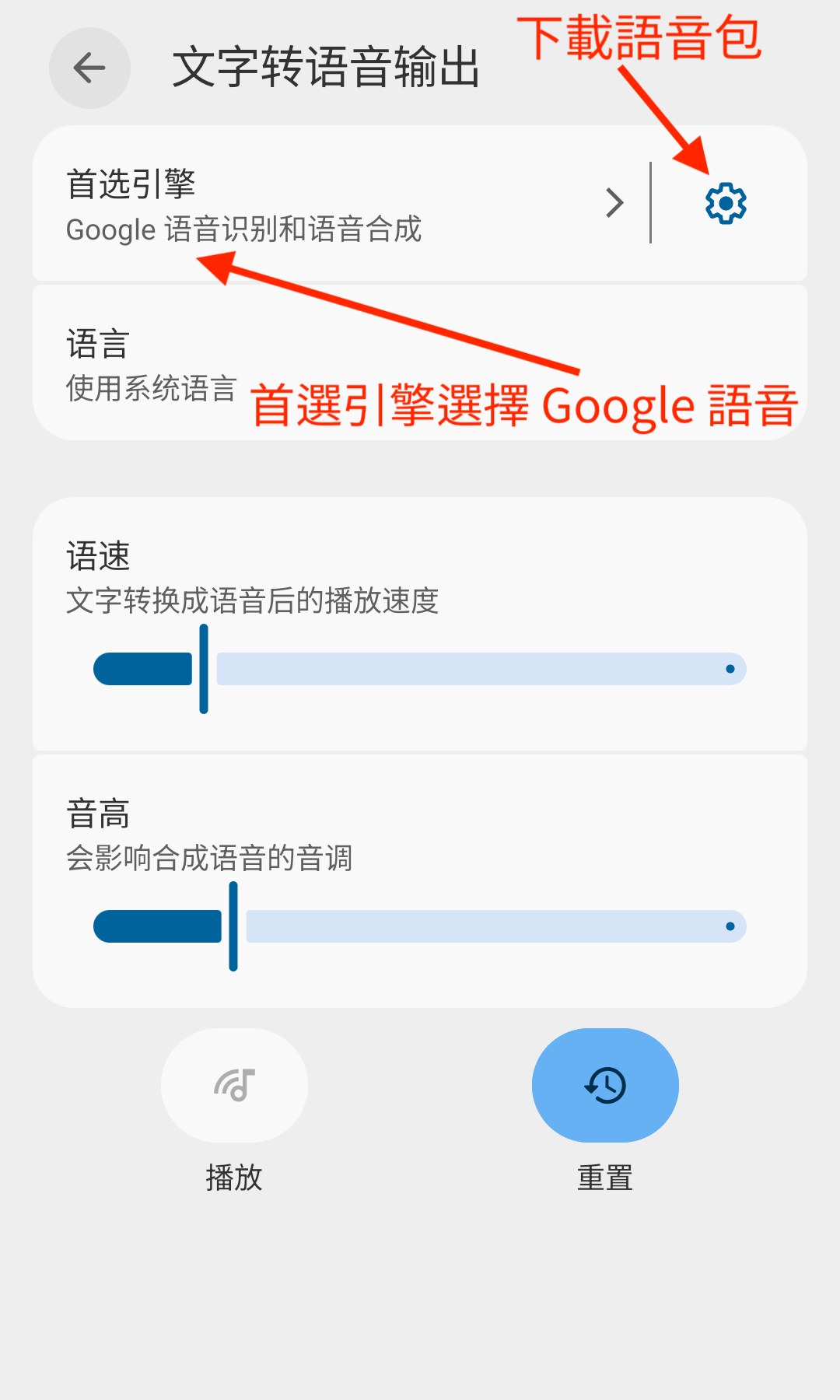
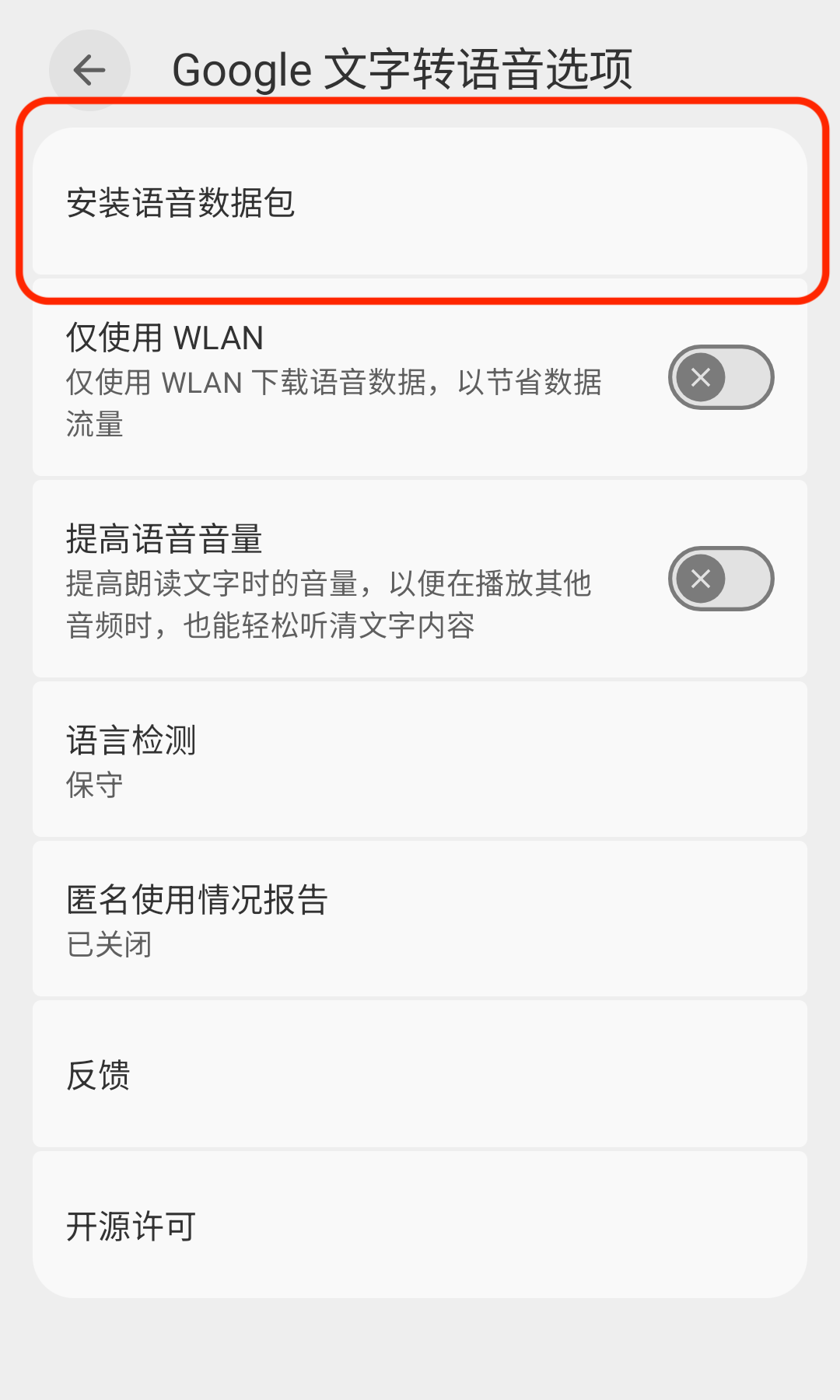
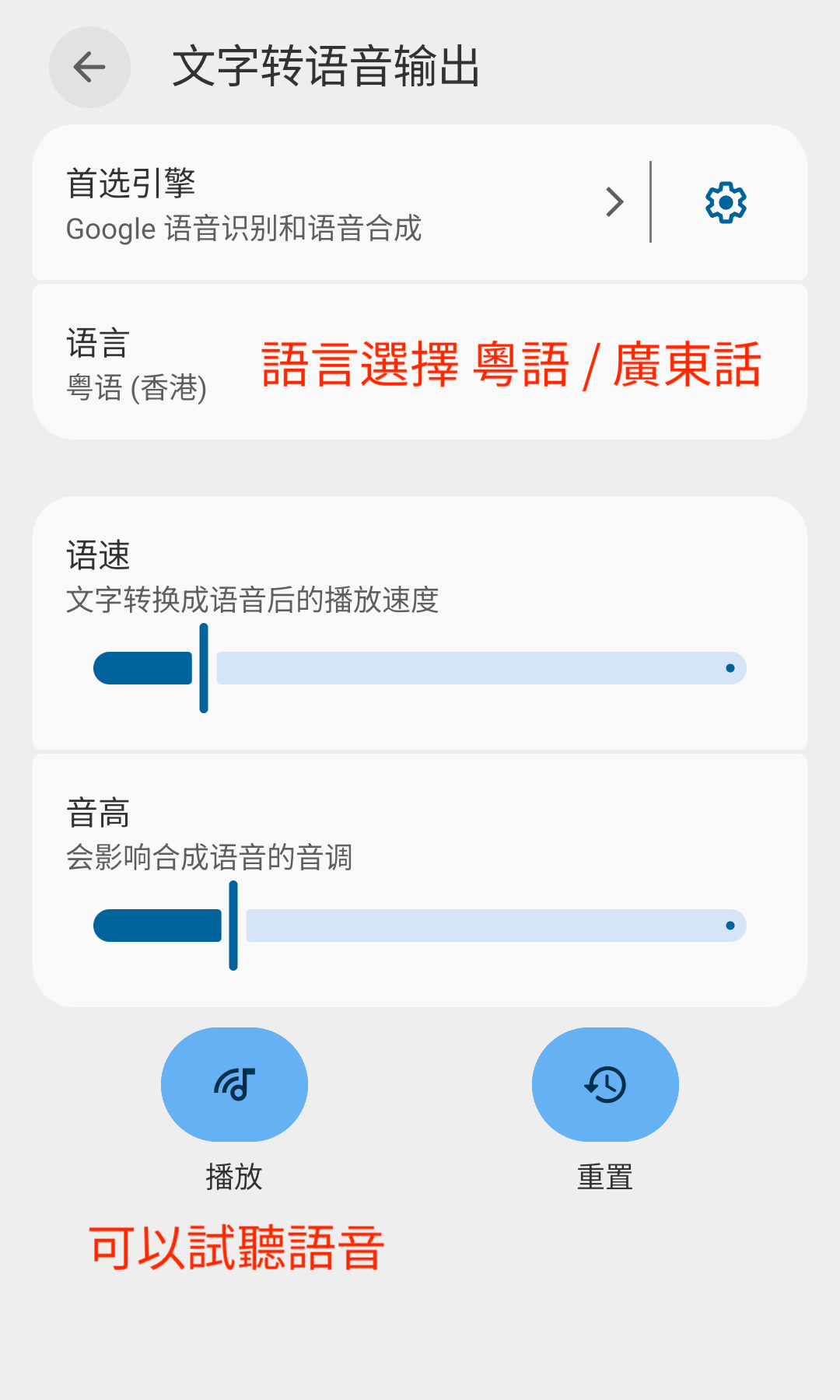
If tapping “Play” produces no sound, restart your phone.
After setting the speech engine, you may need to fully close Jyutping once before pronunciation works properly.
This process can run into many device-specific problems. If it still does not work after trying, it may not be worth spending too much time on it.
You can join the Jyutping Keyboard QQ discussion group ( 293148593 ) to discuss it.